v1.0 Available
Zero Runtime Overhead UI Component
Any Customizations...

Any fonts...
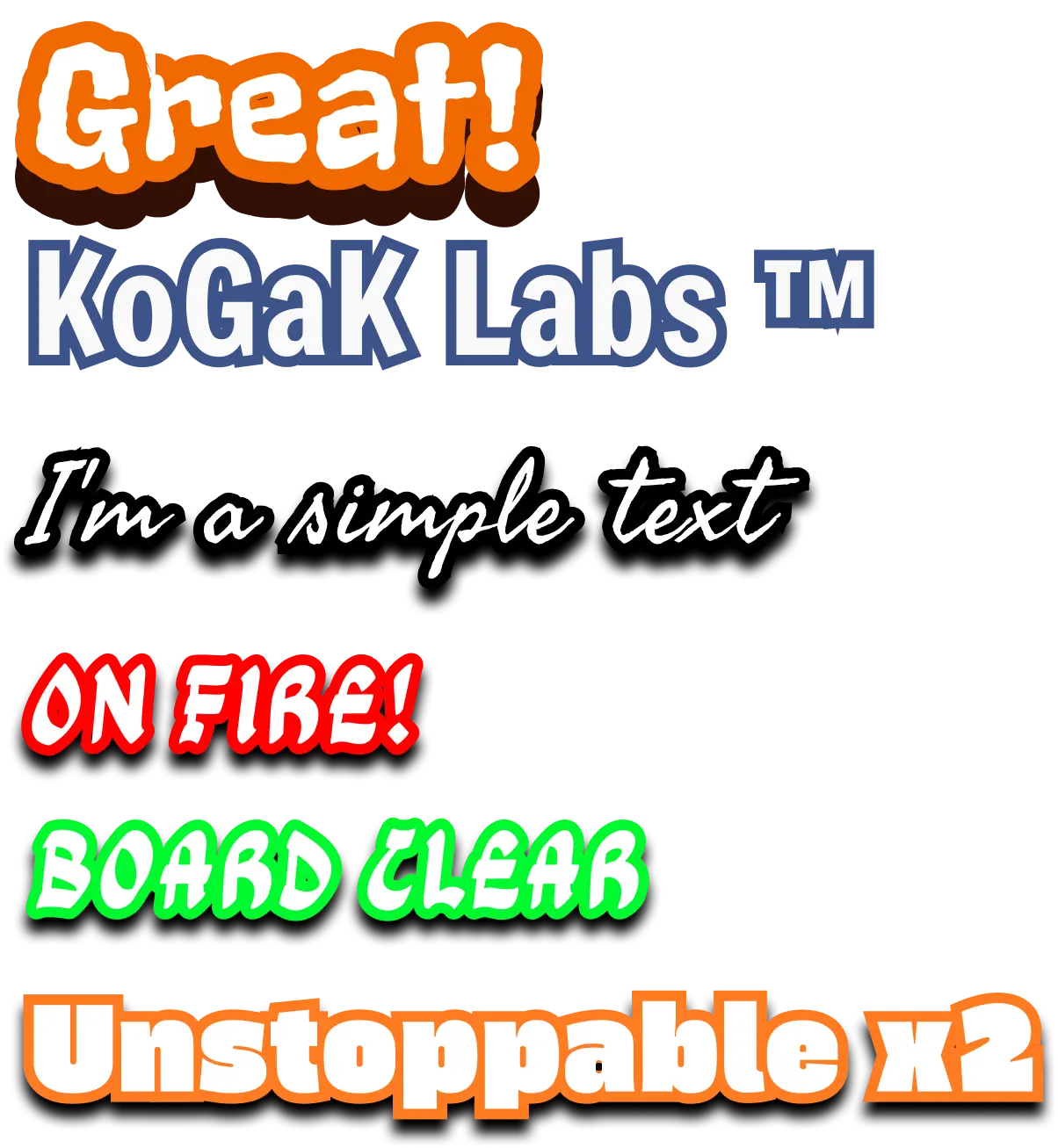
Demo App
Showcase App
produced by
Game in development..
The game is being produced by the small team at KoGaK's entertainment division, with an official release date scheduled for November 2026.
All the text you see in the game is rendered using a high-performance native component called StrokeTextView, produced by KoGaK'sresearch and development lab, KoGaK Labs.
Usage Example
xml
                    <net.kogak.labs.StrokeTextView
                        app:customShadowDy="15dp"
                        app:customShadowColor="?attr/colorTertiary"
                        app:strokeColor="?attr/colorOnPrimary"
                        android:layout_gravity="center"
                        android:gravity="center"
                        android:textAlignment="center"
                        android:fontFamily="@font/fredoka_medium"
                        app:strokeWidth="14dp"
                        android:textSize="48sp"
                        android:text="Great"
                        android:textColor="@color/body"
                        android:layout_width="match_parent"
                        android:layout_height="wrap_content"
                    />
Result:

kotlin
                      val text = StrokeTextView(requireContext()).apply{
                          typeface = fredokaMediumFont
                          textAlignment = View.TEXT_ALIGNMENT_CENTER
                          setTextColor(ContextCompat.getColor(context, R.color.white))
                          setTextSize(TypedValue.COMPLEX_UNIT_PX, TypedValueCompat.spToPx(48f,metrics))
                          text = "Great"
                          strokeWidth = TypedValueCompat.dpToPx(14f,metrics)
                          maxLines = 1
                          strokeColor = ContextCompat.getColor(context, R.color.blue)
                          customShadowColor = ContextCompat.getColor(context, R.color.shadow_blue)
                          customShadowDy = TypedValueCompat.dpToPx(15f,metrics)
                      }
Result: